
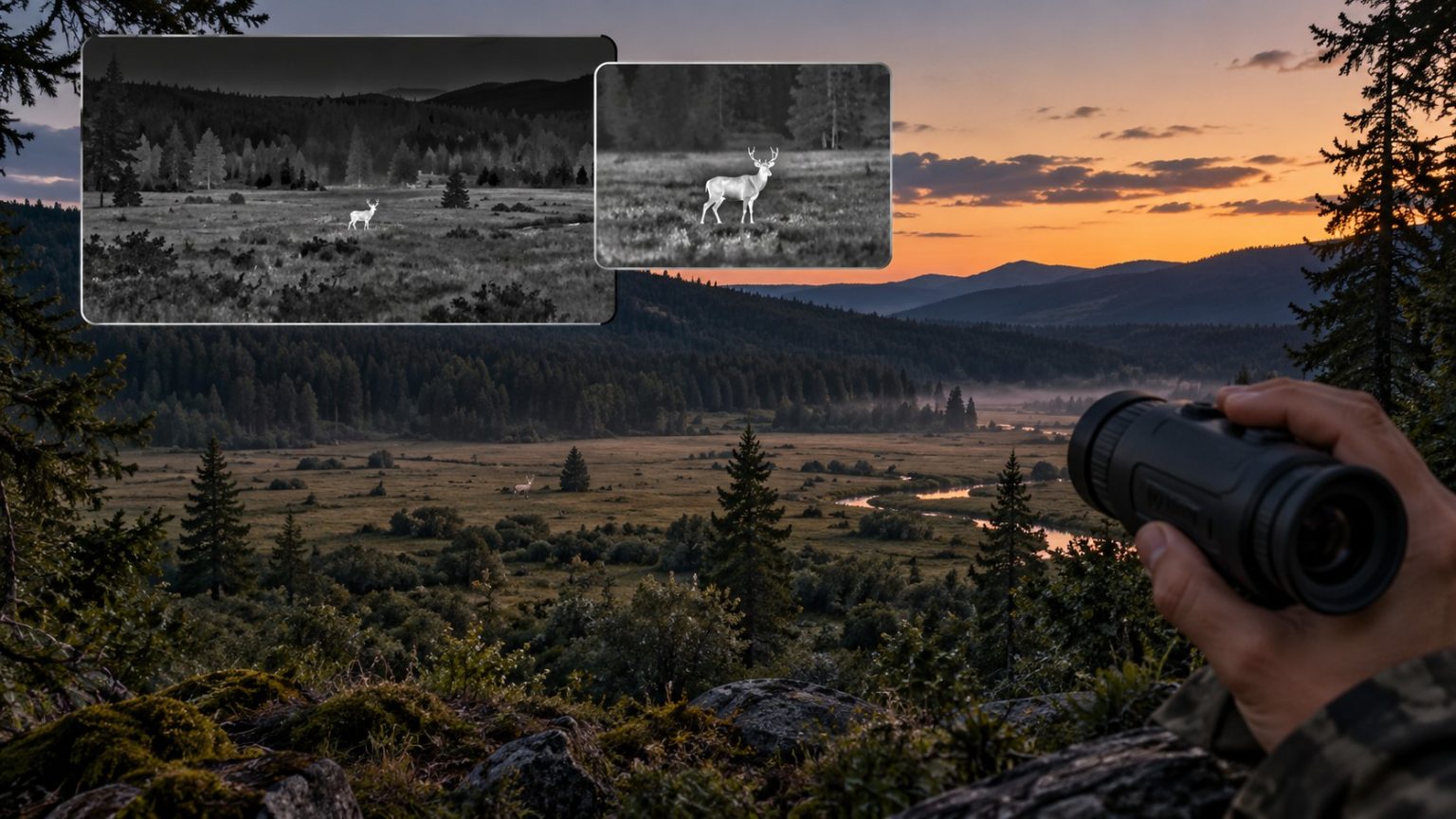
Thermal monocular field of view tells you how much of a scene the device captures at once. A broad view helps you search more ground; a narrow view concentrates the available detector pixels on a smaller area. Base magnification describes how large the image appears through the eyepiece, so it should not be used as a substitute for the published field of view.
This distinction explains why a higher-power monocular is not automatically a better scanner and why two devices with similar magnification can show different amounts of terrain.
The right combination depends on your subjects, distance and habitat. Here is how to compare it without getting lost in headline zoom figures.
Three specifications describe three different things
| Specification | What it describes | What it does not establish |
|---|---|---|
| Horizontal field of view | The angular width of the scene captured or displayed under the stated settings | Overall image quality or species-identification distance |
| Native detector resolution | The number of thermal detector samples across and down the array | How wide a scene those samples cover |
| Base magnification | The starting apparent magnification through the complete device | A universal comparison of target sampling across brands |
Check whether the stated field of view applies at the device’s starting view and whether stabilization or another mode adds cropping. Compare like settings wherever possible.
For a fuller explanation of the sensor itself, see thermal monocular resolution.
Translate the angle into ground you can picture
Degrees are useful for comparing devices, but a width at your usual observation distance may be easier to understand.
For a conventional rectilinear view centered on the scene:
Scene width = 2 × distance × tan(horizontal field of view ÷ 2).
The following are rounded geometric calculations. They do not describe the detection performance of specific products.
| Horizontal angle | Scene width at 100 m | Scene width at 200 m |
|---|---|---|
| 10° | 17.5 m | 35.0 m |
| 15° | 26.3 m | 52.7 m |
| 20° | 35.3 m | 70.5 m |
Distance and width use the same unit. At 100 yards, the corresponding widths would be approximately 17.5, 26.3 and 35.3 yards. Do not mix a width quoted at 100 meters with one quoted at 100 yards without converting them.
At the same distance, a 20° view covers roughly twice the width of a 10° view in this example. That can make a noticeable difference when searching separated openings, but it does not mean the wider optic supplies twice as much detail on a small target.
Wider coverage and finer sampling pull in different directions
Suppose two hypothetical devices both have a detector 640 pixels wide. One shows 35.3 meters of ground at 100 meters; the other shows 17.5 meters.
A one-meter-wide target would span roughly:
- 18 detector pixels in the broader view: 640 ÷ 35.3.
- 37 detector pixels in the narrower view: 640 ÷ 17.5.
These are approximate geometric samples, not guaranteed resolved features. Focus, optical performance, sensitivity, processing and obstruction still influence the image.
The narrower view places more detector samples across that same target. The broader view makes more of the surrounding habitat visible. Neither configuration wins every task.
FLIR discusses the underlying trade-off between target detail and scene coverage. Extra detector pixels can support a wider field, more target detail or a combination, depending on the design.
Lens focal length and detector size work together
Do not choose a lens by its millimeter number alone. For an idealized rectilinear system, horizontal field of view is approximately:
2 × arctan(detector width ÷ twice the lens focal length).
Detector width can be estimated from horizontal pixel count multiplied by pixel pitch. The calculations below assume 12 micrometer pixels, the full detector width, no cropping and an idealized rectilinear lens.
| Hypothetical detector width | Lens focal length | Calculated horizontal field of view |
|---|---|---|
| 384 pixels × 12 µm | 25 mm | 10.5° |
| 640 pixels × 12 µm | 25 mm | 17.5° |
| 640 pixels × 12 µm | 35 mm | 12.5° |
| 640 pixels × 12 µm | 50 mm | 8.8° |
These examples show why the same 25 mm focal length can accompany different viewing widths. They also show how a longer focal length narrows the view when detector geometry stays fixed.
Use the exact manufacturer’s field-of-view specification for a real purchase. Calculations help you understand a configuration; they do not replace model-specific documentation or account for every optical distortion and crop.
Why base magnification can be misleading across devices
A thermal monocular forms an image on a detector, processes it, presents it on a display and lets you inspect that display through an eyepiece. The apparent magnification reflects more than the objective lens alone.
Pulsar gives a useful manufacturer example: two Axion models can share a field of view while having different base magnifications, because display and eyepiece differences also affect the apparent image.
For comparing captured detail, look at detector sampling and viewing geometry first. Then consider how comfortably the complete eyepiece and display present that information to you.
That does not make base magnification useless. It helps describe the viewing experience. It simply cannot answer every question about native detail on its own.
Digital zoom changes the displayed view
Conventional digital zoom enlarges a selected part of the captured image. It can help you inspect existing information, but it does not change the objective focal length or add native detector pixels to the target.
For a simple centered crop, 2× digital enlargement retains half the image width and half its height. A 640 × 480 source would then use a 320 × 240 central area before enlargement. Other processing modes may work differently, so consult the model documentation.
Return to the wider starting view when searching. Staying heavily enlarged can make it easier to lose a moving animal or overlook something just outside the cropped frame.
On supported models, picture-in-picture mode lets you inspect a magnified inset while keeping the wider scene in view.
Match viewing width to habitat and task
Searching woodland gaps and nearby habitat
A broad starting view can make it easier to search several openings without constant repositioning. It also gives you surrounding landmarks that help relocate a subject after lowering the device.
However, an animal behind an opaque branch remains obstructed. A wider view may reveal a different gap; it does not make vegetation transparent.
Examining distant subjects in open ground
A more concentrated view may help put additional samples across a distant target, depending on the complete configuration. The trade-off is less surrounding coverage and potentially more searching before the target enters the frame.
Our coyote-hunting thermal monocular comparison shows how different viewing configurations serve different observation priorities.
Locating small birds
Birding can demand both coverage and enough information on a small subject. A broad view helps search; a narrow view may sample an exposed bird more densely. The most suitable balance depends on habitat, distance and whether you can follow up with conventional optics.
See our thermal monoculars for birding for product configurations and our practical thermal birding guide for a locating-and-follow-up routine.
A comparison checklist that keeps the numbers useful
For each candidate, record native detector resolution, horizontal viewing angle, starting magnification and the settings used for any demonstration footage.
Then calculate approximate scene width at one distance you actually use. This turns a specification into a practical question: will this view show the whole opening I want to search, and how large will my subject be within it?
Keep thermal sensitivity and NETD in a separate column. A well-sampled target can still be hard to distinguish when thermal contrast is weak.
Frequently asked questions
Is a wider thermal field of view always better?
No. It helps coverage, but with the same detector count it spreads the samples across more scene. A narrower view may better suit examining small distant subjects.
Does a 50 mm lens always outperform a 35 mm lens?
No. Compare detector geometry, actual field of view, sensitivity, optical design and the task. The focal-length number alone does not establish the better monocular.
Can two devices have the same magnification and different fields of view?
Yes. Their detectors, optics, displays, eyepieces and processing may differ. Use published field-of-view figures to compare coverage directly.
Does a narrower view guarantee identification at longer distances?
No. It can provide finer geometric sampling with a suitable detector, but identification depends on the complete image and the distinguishing task. Our thermal range guide explains that limit.
Choose coverage and detail together
Begin with the area you need to search and the subjects you expect to inspect. Compare field of view alongside native resolution, then assess the complete viewing experience. The best configuration is the one that balances finding a subject with obtaining useful information about it.

Elliot Vantage is an optics enthusiast and the editor behind Optic Horizon, covering monoculars, binoculars, thermal optics, and related outdoor gear. He researches manufacturer documentation, optical specifications, product features, pricing, and use-case differences to help readers understand their options and choose equipment that fits their needs.